Chalk Dust Torture

I think of my humanities class as basically a project based course.

I rarely give paper and pencil tests.  Partly because I hated taking them when I was a student, partly because I hate grading them as a teacher and partly because I just believe there are better ways to demonstrate understanding.

flickr photo by topgold http://flickr.com/photos/topgold/9385282793 shared under a Creative Commons (BY) license

Even the Google Educator Certification exam I recently took (and passed) was primarily project based.  Sure there were some fill in the blanks and such, but mostly the course teaches you to use the tools and therefore you must demonstrate your use of them to pass the exam. Makes a lot of sense.

I also stay as far away from lecture and straight text book reading as I can. Again, I suffered the torture of chalk dust and lectures for far too much of my own education. I prefer to have my students research, build their knowledge and then find ways to demonstrate that knowledge.  In recent years I’ve gotten better at this as well.  I reached my threshold on posters and slide shows and have begun challenging students to find different ways to present their learning.  I want them to feel challenged, to reach a level of satisfaction and then push them to reach a little further.

This year, we’ve started a class blog (it would be awesome if you would visit and leave a comment) and the current project in class is culminating with a Google Hangout on Air (November 16 & 17 if you’re interested) where the students will debate if their event was truly a revolution.

Slowly I’m figuring out ways to add more authenticity to student projects.  

I feel bad for and would like to formally apologize to the hundreds of students who have passed through my classes and turned in projects that were destined to live about the counters of my room and eventually be recycled or simply tossed out when the dust covering them became too much to bear.

I found inspiration in fellow COETAILers posts this week as I began to write.  I whole heartedly agree with Brad Evans point that project based learning means students taking risks and finding the courage to fail.  I applaud my students for not completely balking when I told them we would use GHO on this project.  They were excited and eager to see what they can do.

flickr photo by giulia.forsythe http://flickr.com/photos/gforsythe/15461440802 shared under a Creative Commons (BY-NC-SA) license

Then Joceyln Sutherland shared a fantastic example of a project making a difference in the local community which struck another chord with me as our school continues to push us to implement service learning into our classes.

So, as it should be, I’m still learning.

I love that these courses and the cohort around me continues to push my learning and my teaching with new and exciting challenges.  Some of them I’ve been dabbling in for years and still trying to figure out how to get them right, others are brand new.  All of them are keeping me on my toes and eager to head into the class and say to my kids,

“Alright, you guys want to try something new?”


Catch A Fire

I stopped reading to start my post when I hit the following quote from the Edutopia article What is Successful Technology Integration.

Willingness to embrace change is also a major requirement for successful technology integration.

Nailed it.

By Mcapdevila [GFDL (http://www.gnu.org/copyleft/fdl.html) or CC BY 3.0 (http://creativecommons.org/licenses/by/3.0)], via Wikimedia Commons

There’s no place for complacency when it comes to technology in schools.  If there was we’d still be using mimeographs for copies, settling student disputes over who’s going to turn the filmstrip and freaking out when we make the computer write our name 1000 times on the screen.  Things change and get better, mostly, and as educators it is our job to keep up with the times.

It isn’t an easy task and I can totally understand when colleagues are intimidated with integrating technology into their classrooms.  For many, they’ve simply never had to do it or it hasn’t been available to them.  However, I also think that whatever the excuse, it isn’t good enough.  It’s our job to provide our students with the skills and tools to help them succeed as they move through and past their educational careers.  In our current society, that includes technology.

The SAMR Model

Image the creation of Dr. Ruben Puentedura, Ph.D. http://www.hippasus.com/rrpweblog/

When it comes to a framework for all of this, I’m a fan of the SAMR model.  In my opinion, it gives credibility to all sorts of technology integration.  Too often I hear educators discuss this model as a ladder that we must climb and everyone should be in the Redefinition zone of  the model.  I think those people are missing the point.  Sure, I agree that we should be striving to create projects and experiences that take students into higher levels of technological use, but it is also quite important to know how to use word processing software and that’s simple redefinition.

This model creates a framework for thinking about how we are using technology.  If we are stuck in the substitution zone then we need to ask ourselves if our tech use is really beneficial and if we are challenging our students.  My one complaint about this model is that I don’t like the ladder analogy and idea of a line separating the bottom from the top.  This makes many teachers see the model as another way to evaluate their practice from the outside instead of a tool to use to reflect upon their own practice. When this concept is clearly related, it becomes a much more powerful tool.

My Practice

I like to think that my classroom practice exhibits a healthy blend of levels from the SAMR model.  Much like we were encouraged to take a little from each bit of this fancy chart growing up (ok, maybe that’s not the greatest comparison) there needs to be a some of each level in the classroom.  My class is 99% paperless.  I honestly can’t remember the last time I made copies for my class.  Students regularly work within GAFE to take notes, complete assignments, share documents and peer reviews.  In order to get to the Redefinition type tasks, we have to spend some time preparing for them in Substitution land.

This week I spent almost thirty minutes with my class trying out  Google Hangouts on Air.  We were testing it out to see if we can use it to make newscast style videos.  We didn’t cover much in the way of curriculum, but the students learned a new tool and a new way to collaborate.  They also saw me taking a chance and being a learner along with them. The kids were buzzing as we experimented.  They asked each other questions as they tried to figure out how to use GHO and discussed the pros and cons of working within this tool.  We were not only looking for a different way to use an existing technology, but shifting and blurring the lines of teacher and student.

The Fire

 BurningFlame0

The difficult task falls on us, the COETAILers and the early adapters of technology.   We may or may not be on the absolute cutting edge or always the ones pushing the envelope, but we are the ones who understand the importance of technology in schools.  We have to make sure that those students and teachers who are intimidated by technology don’t continue to hide in the back of classrooms or just look over the shoulder of their peers.  Celebrate the fact that they have created a task using Augmentation and encourage them to continue their growth.  We have to continue to share what we learn, provide opportunities for others to learn along with us and provide a gentle push when its necessary.

It takes a spark to ignite a fire of technological curiosity, learning and success.


Image Sources

Dukane filmstrip MicromaticII.jpg By Mcapdevila [GFDL (http://www.gnu.org/copyleft/fdl.html) or CC BY 3.0 (http://creativecommons.org/licenses/by/3.0)%5D, via Wikimedia Commons
“BurningFlame0” by BobHelmut – Own work. Licensed under CC BY-SA 3.0 via Wikimedia Commons – https://commons.wikimedia.org/wiki/File:BurningFlame0.gif#/media/File:BurningFlame0.gif


Shout it Out Loud: Course 3 Final Project

Ryan Harwood About MeFirst of all, I spent way too much time on this assignment. But that’s ok, because I really dig this kind of stuff. I had a good time working through my design, redesigning, scratching it and starting over and finally coming up with a finalish product. I’m pretty sure I’ll tweak this more in the future, not just because a resume should be kept up to date, but because I always feel like I can make it better.

As for the process, I did a bit of planning, looked through some templates and reviewed my resume, from 2012 and then jumped into creation.  I decided to use Piktochart to build an infographic resume as I had played with it a few times with my students in the past.  I referenced this article about color choices in business and did my best to apply to the laws of CRAP and KISS.

Kiss saunaopenair2010
Not That KISS
My final product was at the 87.6% complete mark when I came across Rob’s post and realized I was going about it a wee bit wrong.  I was also jealous that he had thought to post a rough draft for others to critique ahead of time. My first draft just felt too cartoonish and long.  Then I got this Tweet

Back to the drawing board again…  I had not even thought about needing this to be a printable document.  It makes sense though. If I really want it to be a resume, it needs to be printable as well as clickable.  I made some adjustments and came up with what you see on this page and on my About Me page here on my site.  I’m not looking at it as a full fledge resume yet.  I’ve got some work to do to have it as something I want to use for recruiting time.  But we are comfortable here in Ghana and have a good bit of time left on our contract.  So I see this as a good start and a valuable bit of practice.

I look forward to getting some feedback on what I’ve created and making improvements along the way.  I’m already thinking about some changes…

KISS Image credit:

By Fileri (Own work) [CC BY-SA 3.0 (http://creativecommons.org/licenses/by-sa/3.0) or GFDL (http://www.gnu.org/copyleft/fdl.html)%5D, via Wikimedia Commons

//platform.twitter.com/widgets.js

Show me a sign

Infographics.  Why don’t I remember to use them more in my classes?  When I’ve used them in the past, students have absolutely loved them.  I’ve even taken a shot or two at having students create their own.  From that experience I learned that it takes a good bit of explaining and patience.  I might get around to that again.  We’ll see.

How logistics helped gain America's freedomOne of my favorites that I have used in the past is from a logistics company.  It is a pretty fascinating look at the way goods had to be moved across oceans and the creation of supply lines during the American Revolution.  It has a bunch of big numbers and interesting trivia about the Revolution.  The information includes ideas that we don’t usually talk about in the classroom version of the American Revolution which is probably exactly why students find it so interesting.

We’re talking about revolutions in class right now and I hope to pull a few others into the mix.  However, I’ve found it difficult to find infographics from their original sources.  A quick search on Google uncovers a plethora of infographics on revolutions of every kind, but trying to get to their source can be tricky.  To me this seems an important part of using them in the classroom.  If I’m just pulling random infographics from the internet, how do I know the information is correct?

This is actually one of the things I like most about the infographic above.  It has fascinating information, and also allows us to talk about the purpose of the infographic.  Most students will go with the old literature class answer of to educate and inform Eventually someone will notice that it is an advertisement with a slightly different purpose and another great conversation begins.  Exactly what we want.


Image Credit:

Derby Supply Chain Solutions:  http://www.derbyllc.com/how-logistics-helped-gain-americas-freedom/#.VhwdRhPtmko

Stir It Up

flickr photo by Wesley Fryer http://flickr.com/photos/wfryer/79673640 shared under a Creative Commons (BY-SA) license

As soon as I started reading the EduCase Learning Initiative article about digital storytelling, my gears started spinning.  I knew exactly how this would fit with my teaching.

Setting

Last year out 8th grade worked on an oral history project at the end of the year as a service learning experience.  This takes it to the next level.  While we still will produce an archive of stories about Accra and Ghana, using this format gives the students a chance to put together not only audio they record during an interview, but video, images and voice over as well.  This takes them to another level of creation and use of technology.

flickr photo shared by classic_film under a Creative Commons ( BY-NC ) license

Context

I also like the idea that David Jakes discusses in his post Towards a Framework for Digital Literacy Learning.  Jakes reasons that students are creative and have something to say if we let them.  The digital world is a perfect place for them to test their voice.  A few simple clicks and their work is public and ready for the world to give them feedback.  That’s a lot more powerful than just showing a couple of friends.

Plan

I’m excited now to start planning again for this unit of study.  It will be important to work on building skills as we go a long.  We’ve already started talking about the importance of design as students have started posting to our grade 8 blog. (I know it needs a lot of design work, but there are only so many hours in the day)

Students will continue to refine their visual design skills as they contribute to the blog, annotate images and create simple presentations.  By the time this project roles around they’ll be ready.

The Rise of EdCampAcc Part 2

I believe the Edcamp should be organised frequently as the world is always changing by the minute and thus we need to constantly exchange ideas. – EdCampACC participant

The morning of EdCampAcc I still really had no idea what to expect. Remember, I had never been to an EdCamp before and neither had anyone who was helping me plan.  We had around 80 teachers registered which was fantastic.  I also had a steady stream of emails from people regretfully informing me that they would not be able to make it.  That was expected, but made me a bit nervous too.

When I arrived on campus just before 7 am (our start time was to 8 am) there was someone asking the guards where to park.  I was astonished.  To even more amazement, the guards then told me that they had already shown someone to the area where we were to be meeting.  This had to be a good sign.  There was even one participant, live tweeting his progress as he made his way to LCS!

//platform.twitter.com/widgets.js

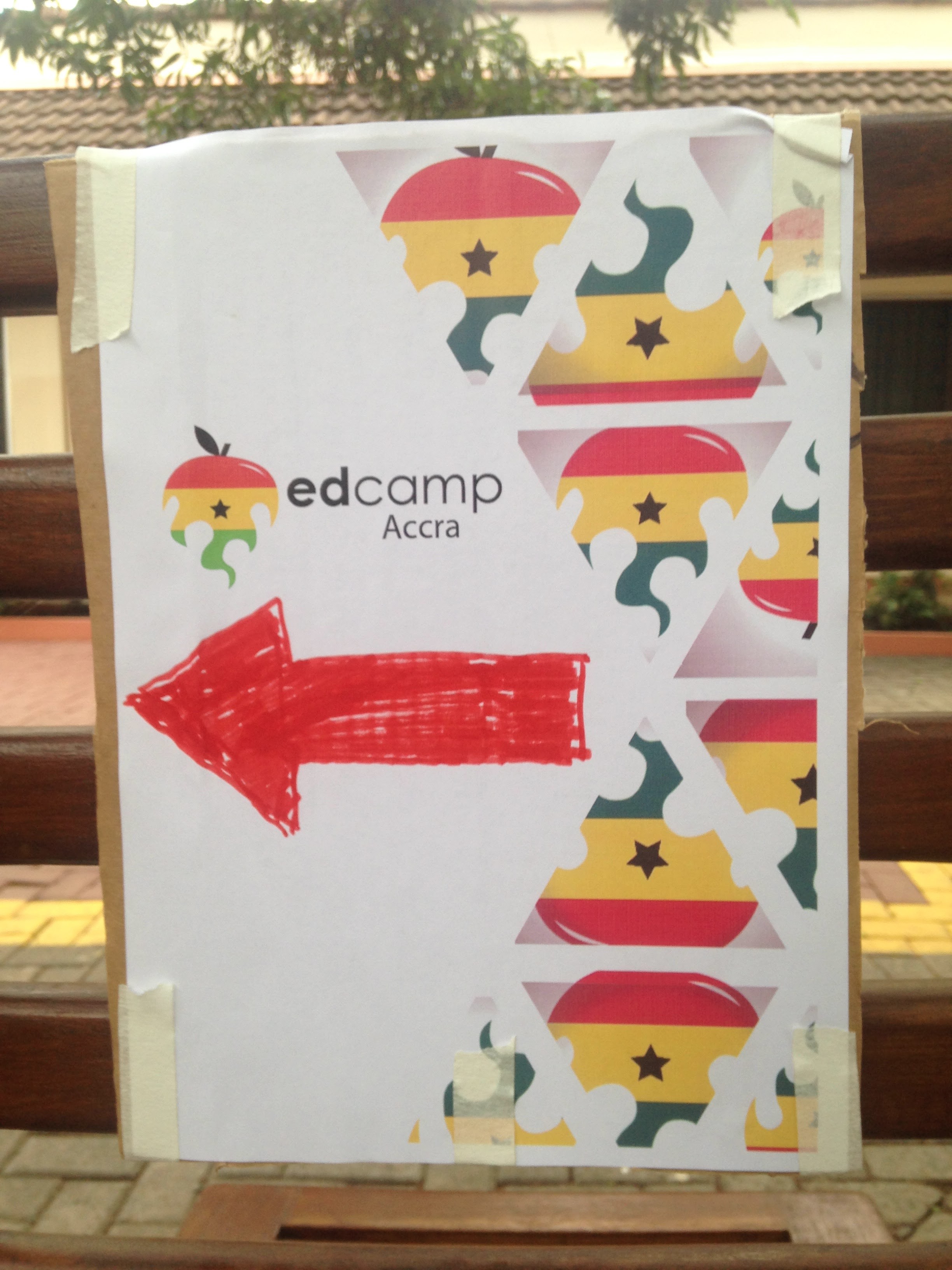
I got to work posting signs IMG_7470to help participants find their way to our meeting area, greeted the couple of folks who had already arrived and my fantastic team of friends and colleagues who had volunteered to show up at 7 am on a Saturday began to arrive and help get everything set up.  This included one friend who had been up until 3 am enjoying happy birthday calls from friends around the world!  Dedication.

Everyone who attended was engaged and solution-seeking.-EdCampAcc participant

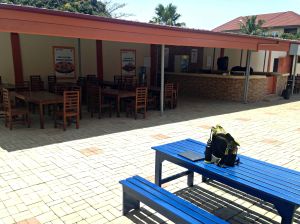
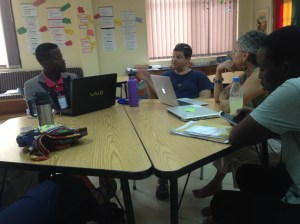
We set up the rooms we had so that tables were arranged in circles.  IMG_7471We wrote discussion protocols on the board along with our Twitter information.  We eventually retrieved the name tags out of the office they were locked in IMG_7485(I forgot to get them at the end of the day Friday) and we got things rolling.  There were sticky notes and pens on every table and soon they were being put to use.

IMG_7472
The counter served as our session board

Participants were warm and ready to share their experiences -EdCampAcc participant

Our session "board"
A few instructions

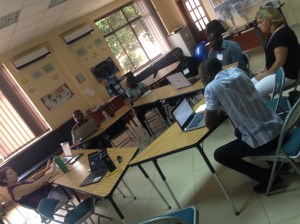
By our official start time of 8:30 we had a buzzing crowd of almost 50 educators from 6 different international schools and these two guys who were working on their own unconference plans and just wanted to experience an EdCamp.  Only two of our participants had ever been to an EdCamp before.  It already felt like a success.


Interacting with faculty from other area schools. The overall spirit of the event, which was very positive – EdCampAcc participant

I won’t drag out the details. I’ll let the pictures and the feedback tell the rest of the story.  It was a great day and I’m looking forward to the opportunity to do it all again.  Thanks to all the awesome people at LCS who helped make it happen, and all the awesome educators that joined us and made it a success.

It was getting the opportunity to interact with other colleagues I least thought I will meet.
Listening to colleagues teachers and getting the chance to speak about my practices made me feel good. -EdCampAcc participant

I really enjoyed meeting other teachers and hearing about their concerns and successes. It was reassuring to find out that so many others are in the same boat and experiencing the same problems and challenges.

Was really encouraging to meet with such a knowledgeable group of people. – EdCampAcc participant

Read part one of this entry here

The Rise of EdCampAcc

Fair warning. This post has nothing to do with COETAIL, except that I have tried to apply some of what I’ve learned from the courses.  But I’ve got this blog and figure I should use it.  Oh, and it got kind of long, so I broke it into two parts. This is part one.

I don’t think I’ve stopped smiling over the past twenty four hours. Yesterday, I spent my morning with a fantastic group of educators from the Accra, Ghana area for EdCampAcc. edCampAccra_picmonkeyed From what I was told yesterday, this was possibly only the second EdCamp in Africa, and I’m pretty sure the first one in Ghana (If you know otherwise, please fill me in). The following is a brief history of how the day came to be.

The Beginnings

This was a project that started almost a year ago as I began to hear from my Twitter friends about the fantastic experiences they were having at EdCamps in the United States. They seemed to be happening every weekend and I felt a bit left out. I wanted to bring this excitement to Ghana and Lincoln Community School (LCS).

I started asking my Twitter friends questions and even Skyped with the incredibly kind and energetic Kristen Swanson long before I had any kind of real plan for an event. My administrators were supportive but cautious, of rolling out this new form of professional development.

Trial Runs

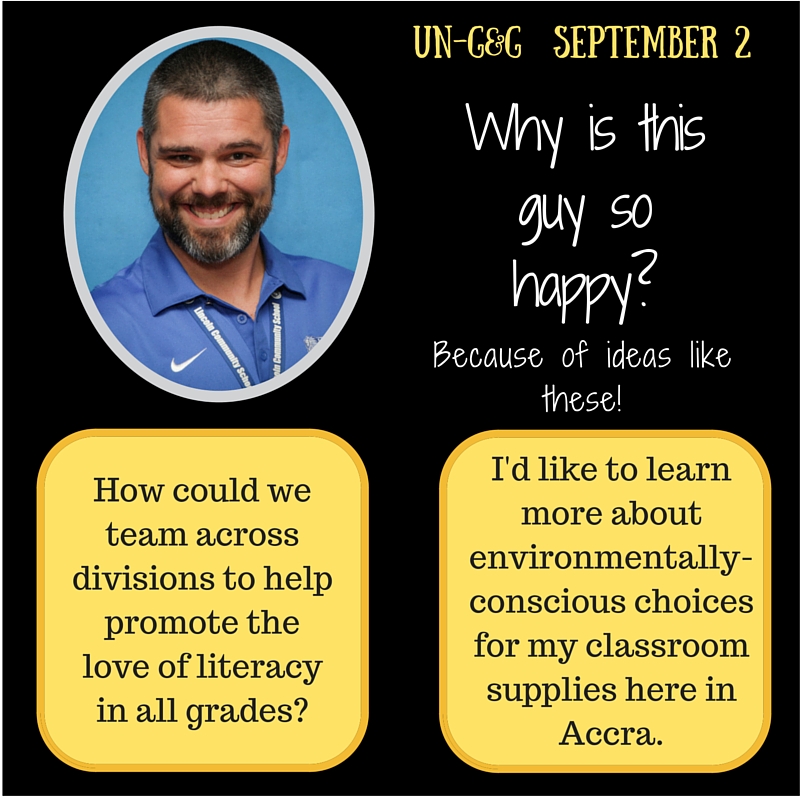
We started last spring with an afternoon of technology driven PD that was driven by teacher suggestions and allowed them to choose their sessions. The afternoon was successful and built some confidence that allowed me to help organize and run the first “UnG&G” this year at LCS.Why is this guy so happy- This time we moved a little more towards the EdCamp style with teachers submitting ideas to a Google Form over the course of a few weeks and sessions being developed from those ideas. This was the first time we had a PD day with our entire PreK-12 staff in the just over two years that I’ve been here.

I had no idea what to expect, and from the questions I was getting, most of our staff didn’t either.  But we managed to create some excitement around the day and in the end it too was a great success.  UnG&G HoroscopeTeachers walked away energized and excited to have spent time talking with other teachers from different levels of the school that they quite possibly had never spoken to before. New ideas were generated and new collaborations planned.  I couldn’t have asked for much more.


The Plan

Work had begun on our EdCamp at the end of last school year.  A small group of teachers had been discussing the idea and seeking support.  We finally got the go ahead and got our event on the calendar.  Now the work truly began.

We had no idea what would happen if we started advertising free professional development at our school for anyone who was interested.  However, we were quite concerned that we could get a group too big for us to manage and who might be expecting something completely different.  The unconference style is something new to our area and there are only a few people who seem to really be discussing it.  There is also the issue that our school is very different from the local schools here in Accra.  So we had some decisions to make.

We decided that the best way to go was to invite other international schools in our area.  Some of them are IB schools like Lincoln and some are not, but our styles of education and the resources available to us are at least similar.  We wanted to make sure that participants would be able to have beneficial conversations.  This continued to be a difficult decision all the way up to the week of the event. We did not want to be seen as an elitist school with an elitist invitation list but we determined that this was the best way to begin.

The invitation to the event was extended to seven international schools in our area. (We recognize that this might not be pure EdCampness, but our situation is unique) I began emailing contacts that we had in each of the schools, sharing information about EdCamps and encouraging them to share with their staff.  Registrations were slow in the beginning but I got a lot of reallEmail Updatesy good questions.  Some schools in our area did not start their school year until the beginning of September and that meant it might be cutting it close to get them involved.  I sent weekly email reminders for the first month and then switched over to updates and tips for the weeks leading up to the event.

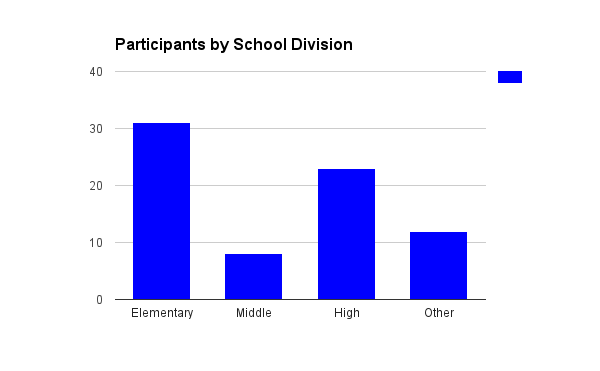
In the end we had almost 80 teachers register from six different schools.  EdCampAcc Registered ParticipantsThe event was at the tail end of one school’s fall break and therefore none of their teachers registered.  Registrations, via Google Forms, rolled in until the week of the event when we closed it off.  We began to have teachers from other schools emailing asking if their school could be added.  Again, a tough decision, but we decided to stick to our policy and kindly asked them to allow us to get this trial run under our belts before we open up future events to more schools.

It was now a waiting game.  We had the registrations, the facilities, the plan. Who would actually show up for our EdCamp and what would they think?

The Rise of EdCampAcc Part Two here


Too Much

For several years I outlawed PowerPoint in my classroom. I just got tired of students reading four hundred bullet points to me for three or four periods a day. For many of them, this just meant they used an alternate program that they could do the same thing with. Some of them even realized that if they used PowToon, it would read the bullet points for them. Finally I saw the error in my ways. I shouldn’t outlaw presentation software, I should help them learn to use it better.

We started with word limits per slide which drove them absolutely crazy, but they survived and the presentations became a little better. They still read to me, just from their notes instead of the screen.

Now I want to take it a step further. I’m excited to see how I can encourage students to create powerful presentations using some basic design principals.

But let’s start with me. The presentation below is one that I created for open house nights. As I share the presentation I make sure to tell parents that part of what we work on is effective presentations, hence the lack of words. Now I’m looking forward to making it much more visually interesting for parents.

Here’s the updated version. I think I’ve made some pretty positive improvements. As noted in Presentation Zen, simplicity is usually the best option.

In this case the main goal is to introduce myself and the course I teach to parents in approximately ten minutes. I’ve reduced the colors involved and the number of images on each slide. With the exception of the Humanities slide, they all feel much less cluttered. I chose that particular image as an example of how we will use images and technology in the classroom.

Kodachrome

When I look back at all the crap I learned in high school, its a wonder I can think at all – Paul Simon, Kodachrome


Images. I love images. I like to pretend like I’m an amateur photographer. I even did a weekly photo challenge thing for awhile.  Then life caught up with me and I let it drop.  Maybe again someday in the future.

I thoroughly believe that images play a major role in our learning and studies like this one show how images quickly become representative of places and ideas in our brains.  So why don’t we use more images in the classroom?

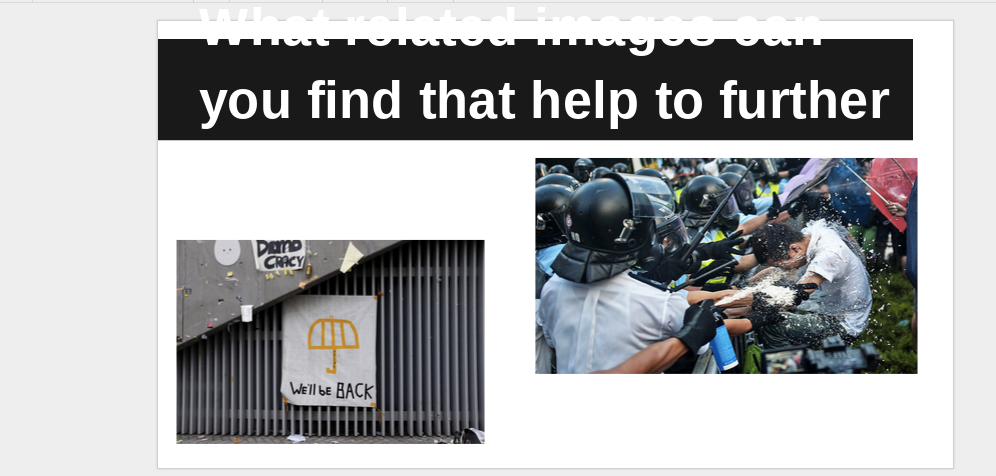
Challenge accepted.  We have a weirdish schedule this year that includes a rotating Wednesday with 50 minute classes instead of the usual 90 minutes we have on other days.  So I decided to use the time a little differently.  I was inspired by this guy and his use of SOLE (Student Organized Learning Environment).  I’m not quite to the full level yet, but I like the ideas.  So I tweaked it a little bit and here’s what we did in class today.

The students loved the idea of working with images.  They weren’t exactly keen on the assignment as a whole, but we’re negotiating on that point and we’ll get it smoothed out soon.  There was definitely a buzz when they opened up the image for the first time.  Several of them commented on how cool it was and followed the link to the photographers site to browse the other pictures and find a few that they liked as well.

Student Work
Forgive the formatting, they were working on a tight schedule. They had a good time explaining why they found these interesting.


As I said, the assignment needs some work, but the outcomes were fantastic.  The kids learned a lot in a short amount of time and it led to an awesome discussion.  One student had been home to China over the summer and told us about the difference in images and reporting about these events that were being shared through their media.  I couldn’t have asked for a better accident.

Hopefully the use of images in the classroom that stir conversations like these and the constant tweaking of lessons via student feedback will keep them from adopting Mr. Simon’s song as their theme.

Back in the Saddle

The Return

It feels like its been quite some time since the last entry to this blog for class.  I feel a little out of practice.  Of course I had all kind of intentions of continuing to blog through the summer as I enjoyed some quality professional development and quality vacation.  But as they say about good intentions…

Setting the stage

So here we are and I’m excited about this course.  I’m not necessarily great at it but I do enjoy design.  I dabble with it from time to time and enjoy exploring my creative side.

Lincoln International Football Association
I might have designed this for our weekly staff pick up soccer game

I’ve had several blogs and webpages that I’m constantly tinkering with to try to get them looking just right.  We even just recently launched a blog for our 8th grade at Lincoln.  The students are responsible for the content, but I’m taking care of the design. I’ve got big plans…

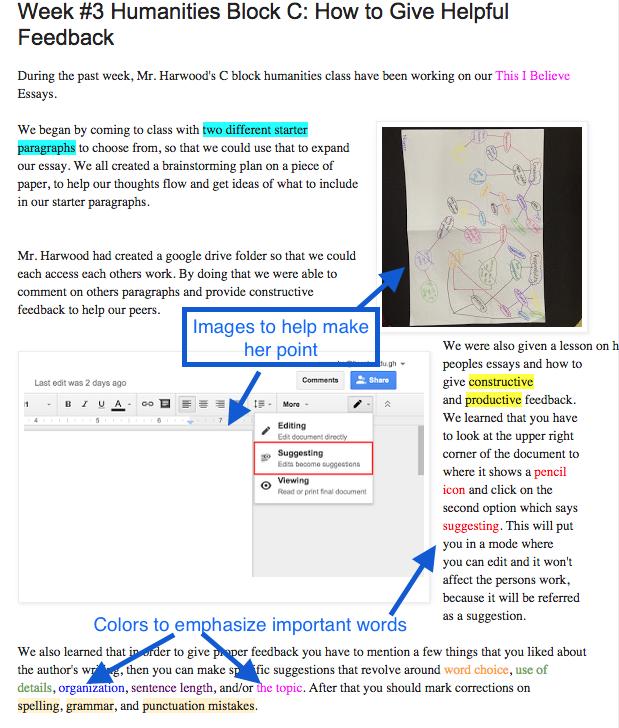
I actually had to come back and add this bit. Nisreen Annotated Blog As I reflected on my writing and content I thought back to the first student post for my humanities class.  Nisreen actually applied a lot of the concepts discussed in the articles this week.  Check it out here:


The Work

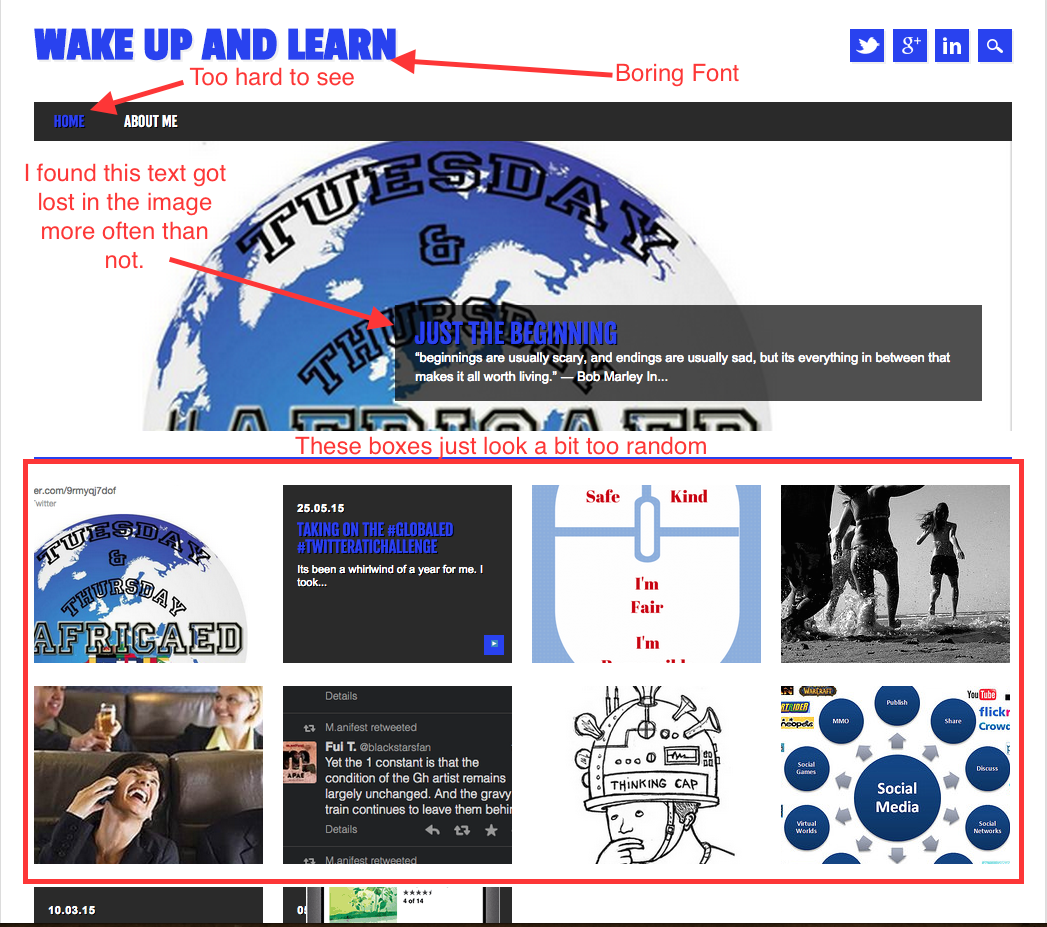
As for my COETAIL blog, I’ve definitely made some improvements. I’ve included a screen shot here of the old page.

Old Blog Annotated ImageAs I look at it now, it is filled with the wrong kind of CRAP and needed a good bit of work.  To be fair, there are quite a few limitations to the themes that are available, but I still knew I could do better.

I think that as you enjoy the ease of a short easy read thanks to employing some concepts from Brandon Jones’ article on visual hierarchies you’ll agree that vast improvements have been made.  I don’t think I’d call it perfect yet.  There are still some things I’d like to figure out how to accomplish.

At a minimum, I’d like to have some sort of border around the widgets on the side and perhaps even have them fade to a slightly lighter color while the reader is focusing on my writing. I’d also like to have a bit more control over my fonts.  Not to go crazy or anything, but just to be able to make things a bit more interesting.  Maybe my new coding club will help me figure some of this stuff out.

Classroom Application

So now to apply this to my teaching.  The class blog is an obvious example, but I think James Daly’s interview with George Lucas makes some great points.

If you’re going to put together a multimedia project, you need to know that you can’t have a fast rhythm track if you’re talking about death. It just doesn’t work. You’re not communicating well.

I know this, and you probably know this, but do kids know this?  I can recall posters about the black plaque that were done on neon paper, student videos about the industrial revolution that had hip hop music, with lyrics, in the background of the voice over and countless other fantastic design flaws.  If we really want students to learn to express themselves, we need to discuss this and give them the tools to be successful.  Students are asked to make countless posters, pamphlets, presentations and Power Points throughout their careers. Just as we spend time helping students craft their essay writing skills, we should help them build their visual expression skills as well.